How to deploy a Claude Code app to production
You built an app with Claude Code. It works on your laptop. Now your team needs to use it, and that's where the real work starts: a web address with HTTPS, a way for people to log in, a database that isn't a file on your laptop, backups, and a server that keeps running when your laptop is closed.
Most guides to deploying a Claude Code app stop at "it has a URL". This one gets you to an app your team can actually use, without leaving Claude Code.
TL;DR: how to deploy a Claude Code app to production
Claude Code builds the app. Whisk runs it, with sign-in, a database and backups already in place.
- Paste one prompt into Claude Code.
- Approve one login in your browser.
- Claude Code adapts the app and deploys it.
- Invite your team.
No Dockerfile to write, no GitHub repository to create, no environment variables to copy around, no login screen to build.
Why deploy Claude Code apps on Whisk?
A general hosting platform runs your container and gives it a URL. Everything else is yours to add: a database, a login system, backups, a scheduler, somewhere for passwords and keys. Each one is another service, another account and often another bill.
Whisk is built for business apps that AI coding agents write. Every app gets these, included:
- Sign-in for your team, with roles and groups, before anyone reaches the app.
- A Postgres database of its own, backed up continuously and every night.
- Scheduled jobs and workflows that retry when something fails and tell you when they can't.
- Secrets that a person types into Whisk, so keys never sit in the code or a chat.
- HTTPS, file storage, email sending and logs.
And Claude Code knows how to use all of it, because it reads Whisk's instructions at whisk.run/skill before it starts.
Step 1: Ask Claude Code to deploy it
Open Claude Code in your app's folder and paste this:
Read https://whisk.run/skill and follow it to deploy this app to Whisk. Install the whisk command line if it isn't installed. Adapt the app to Whisk's rules: sign-in comes from Whisk, not from the app, and data goes in the Postgres database Whisk provides. Run whisk doctor until it passes, then deploy, and tell me the web address.
That's the only prompt you need. Claude Code reads the instructions, installs the whisk command line and starts work.
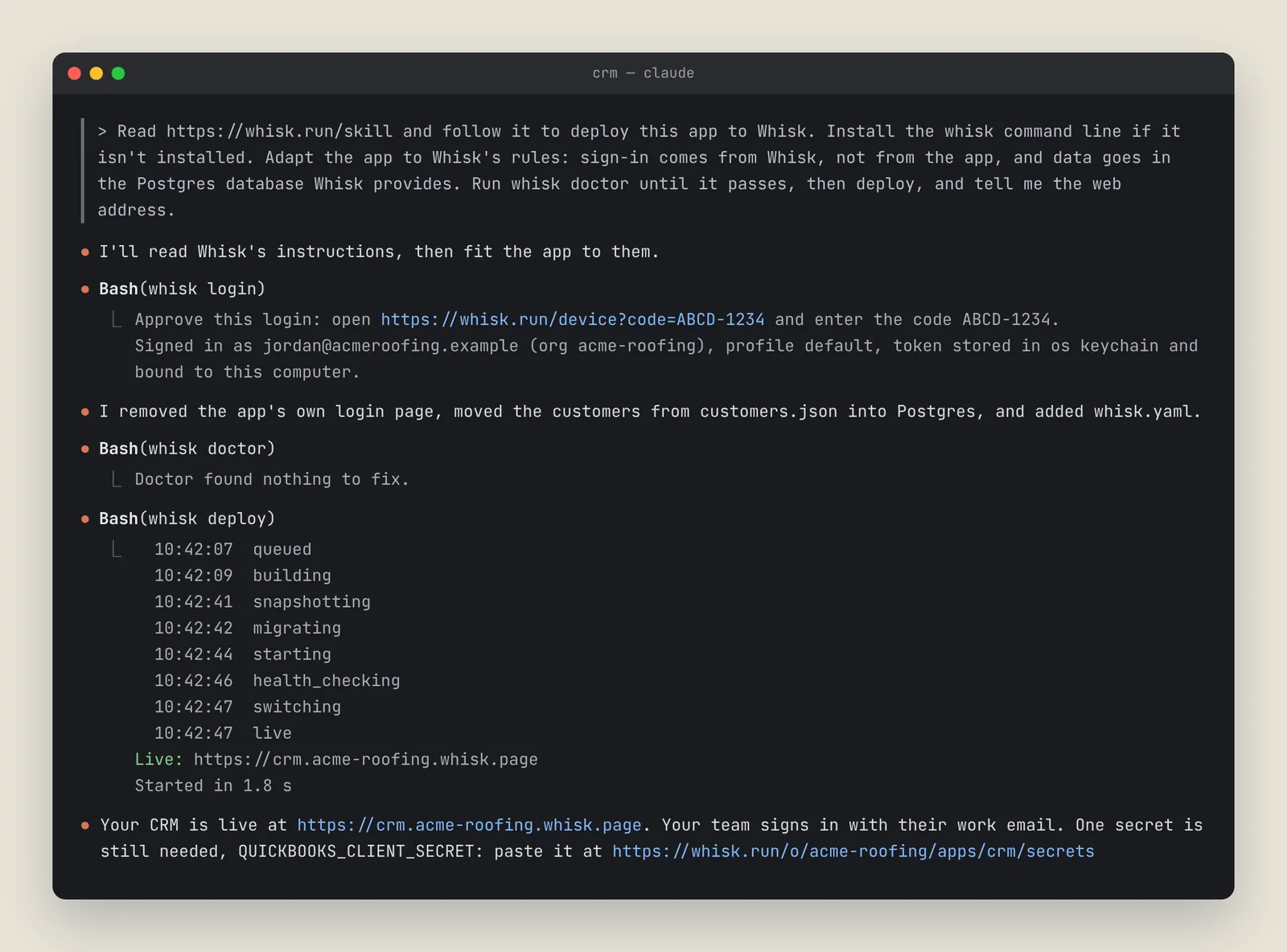
You don't need a Dockerfile. Whisk detects the stack on its own. If you already have one, Whisk uses it.
Step 2: Approve the login
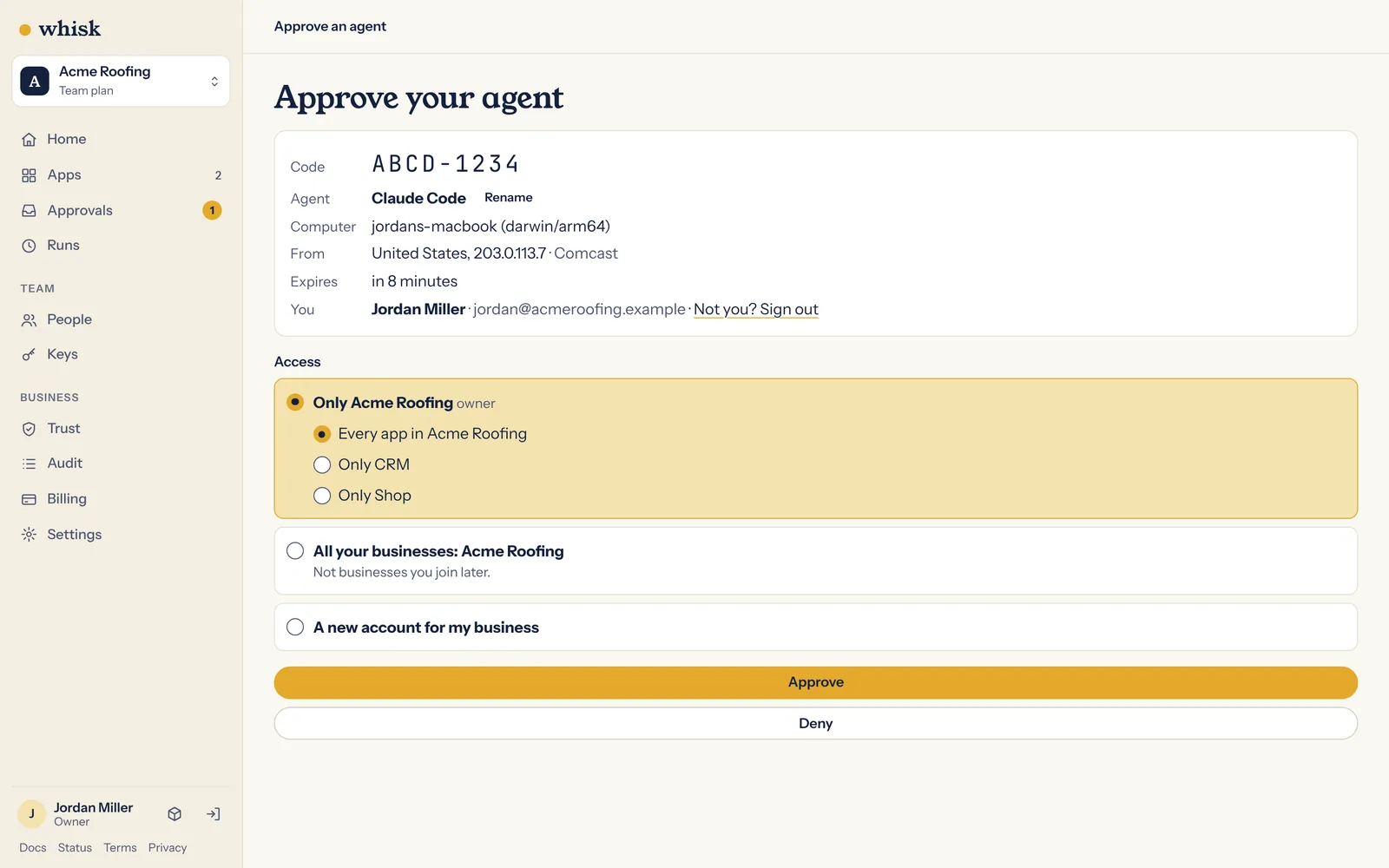
Early on, Claude Code runs whisk login. It shows you a web address and a short code. Open the address, sign in to Whisk with your work email (or create your account there), check the code matches and approve it.
That lets Claude Code work on Whisk for you. You do it once on each computer, and the agent never sees your password.
Step 3: Let Claude Code fit the app to Whisk
Claude Code adds a small file called whisk.yaml that describes the app:
whisk: 1
name: crm
health: { path: /health }
database: app
secrets: [QUICKBOOKS_CLIENT_SECRET]
Then it changes the app to follow Whisk's rules:
- Your login screen comes out. Whisk signs people in before they reach the app and tells the app who they are.
- Data moves into the app's own database. If your app kept data in a file, SQLite or the browser, Claude Code moves it to Postgres.
- Keys come out of the code. The app lists the names of the secrets it needs, and you type the values into Whisk yourself.
Next it runs whisk doctor, which checks the app against the rules and says exactly what to fix. Claude Code fixes it and runs the check again until it passes.
Step 4: Deploy
Claude Code runs whisk deploy. Whisk builds the app, sets up its database, starts the new version and checks that it answers before turning it on. Claude Code gives you the web address, something like https://crm.acme-roofing.whisk.page (on the free app it's https://crm--acme-roofing.whisk.page).
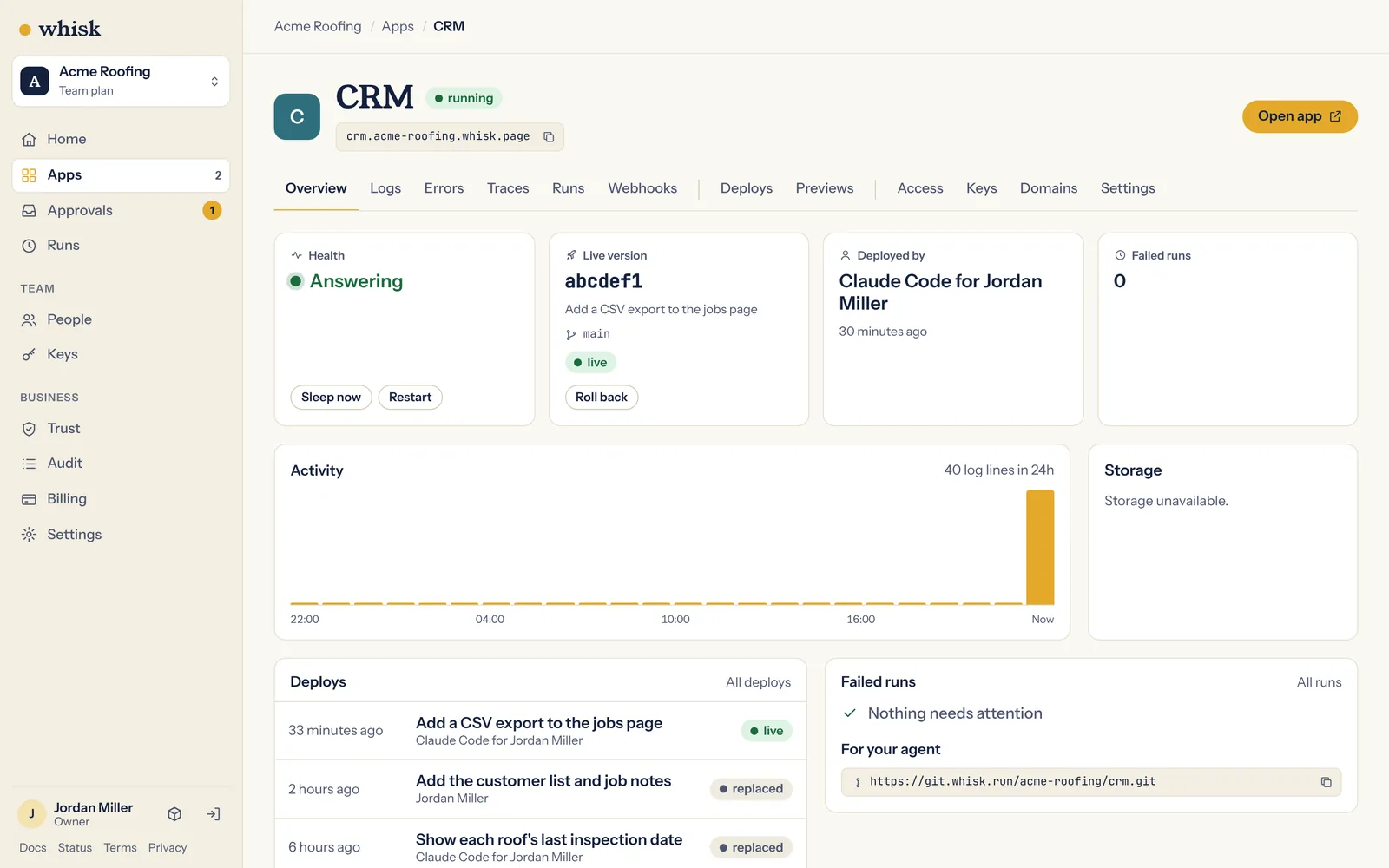
If the app needs keys for other services, Claude Code tells you their names and gives you a link to enter each one. You paste them in yourself. Whisk never shows a value again, and an agent that tries to set one is refused.
Step 5: Invite your team
Open the app's page in Whisk, invite your team by email and choose who can use the app.
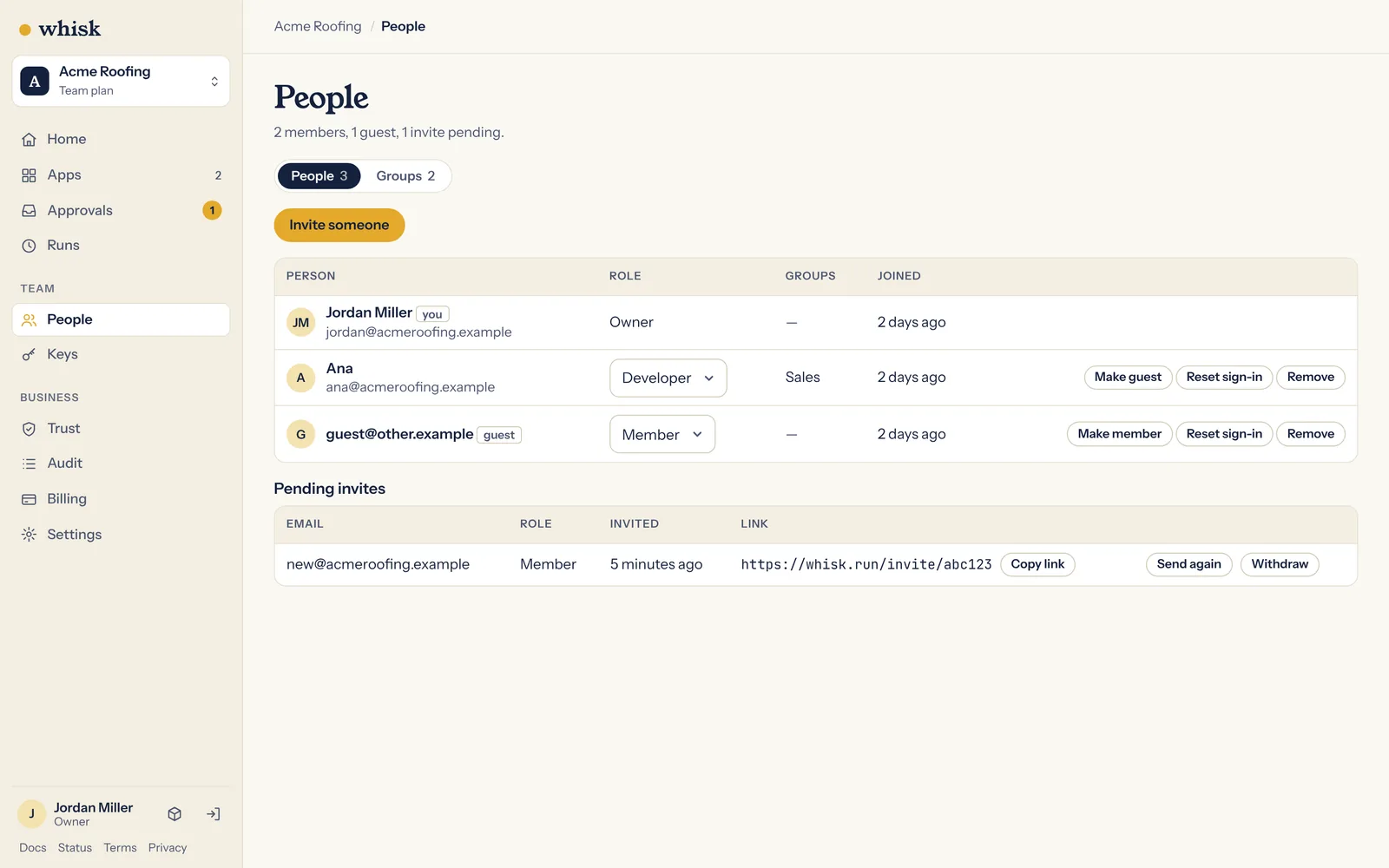
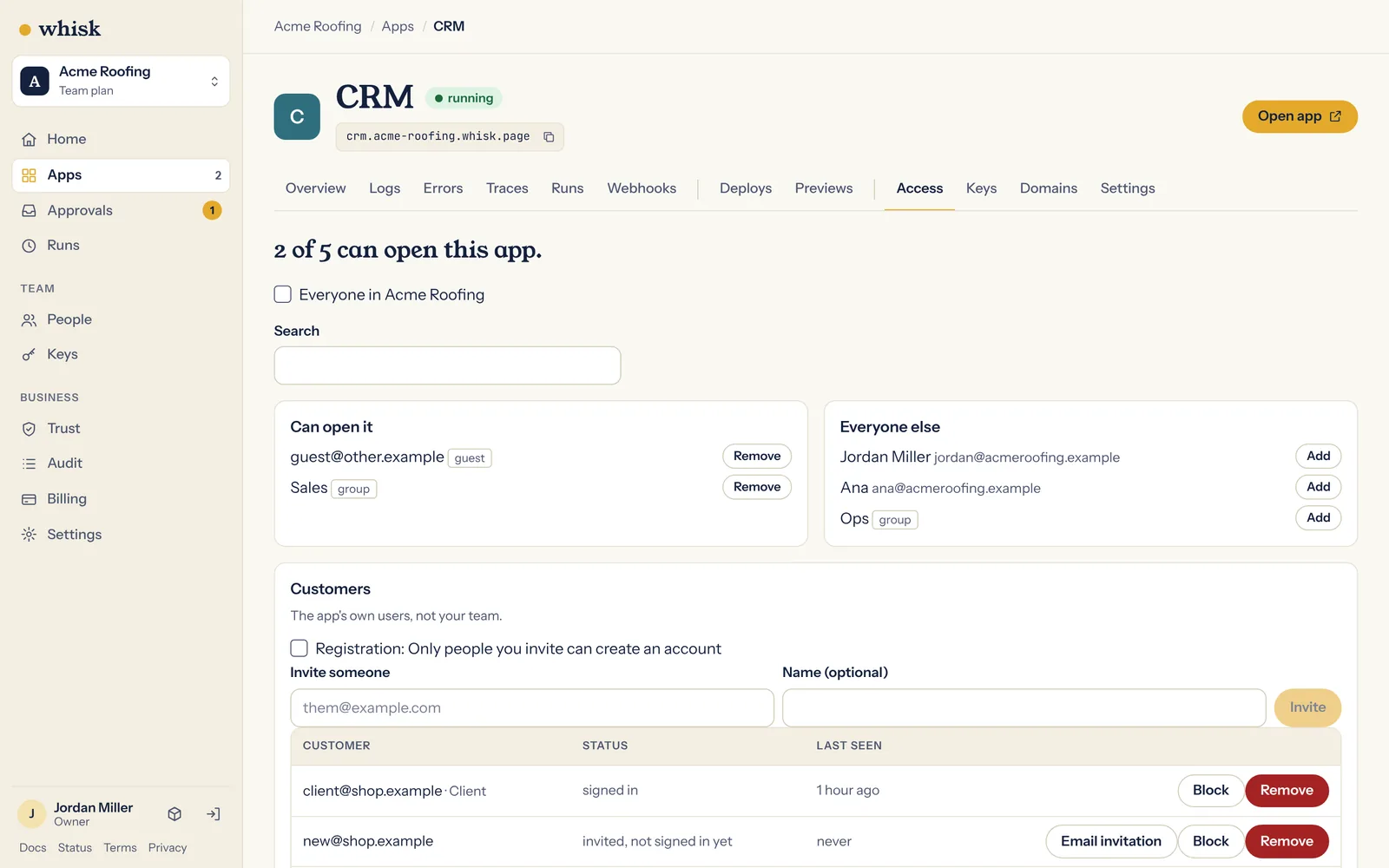
They sign in with a code sent to their email, and they're in.
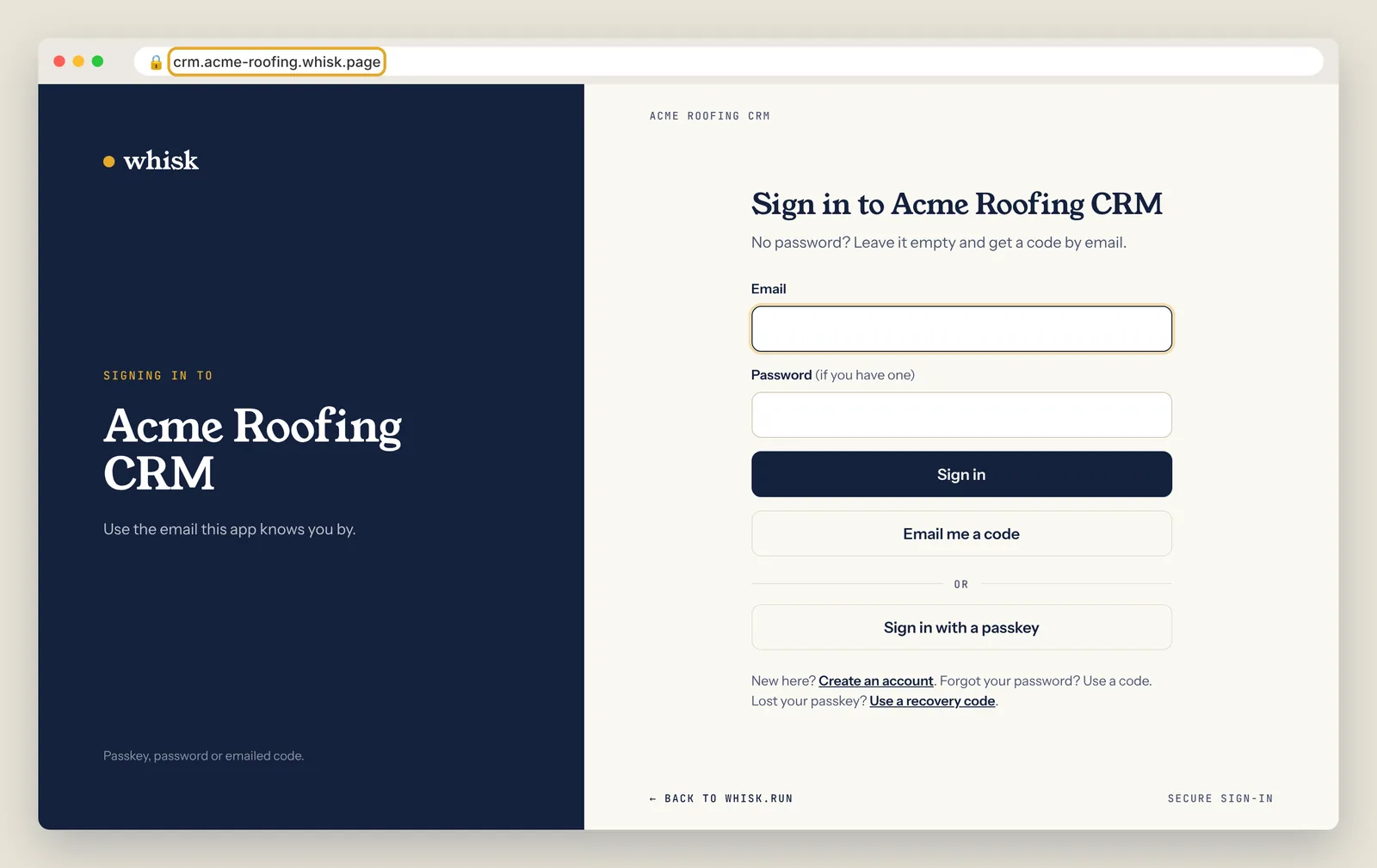
When someone leaves, removing them once takes them out of every app at the same time.
Making changes later
Keep working in Claude Code the way you already do. When you're happy with a change, ask it to deploy again.
Every deploy is checked before it goes live:
- The new version starts beside the old one, and traffic only moves once it answers its health check. Nobody sees downtime.
- If a database change fails, Whisk puts the database back the way it was and keeps the old version running.
- If something goes wrong after a deploy,
whisk rollbackputs the previous version back without rebuilding.
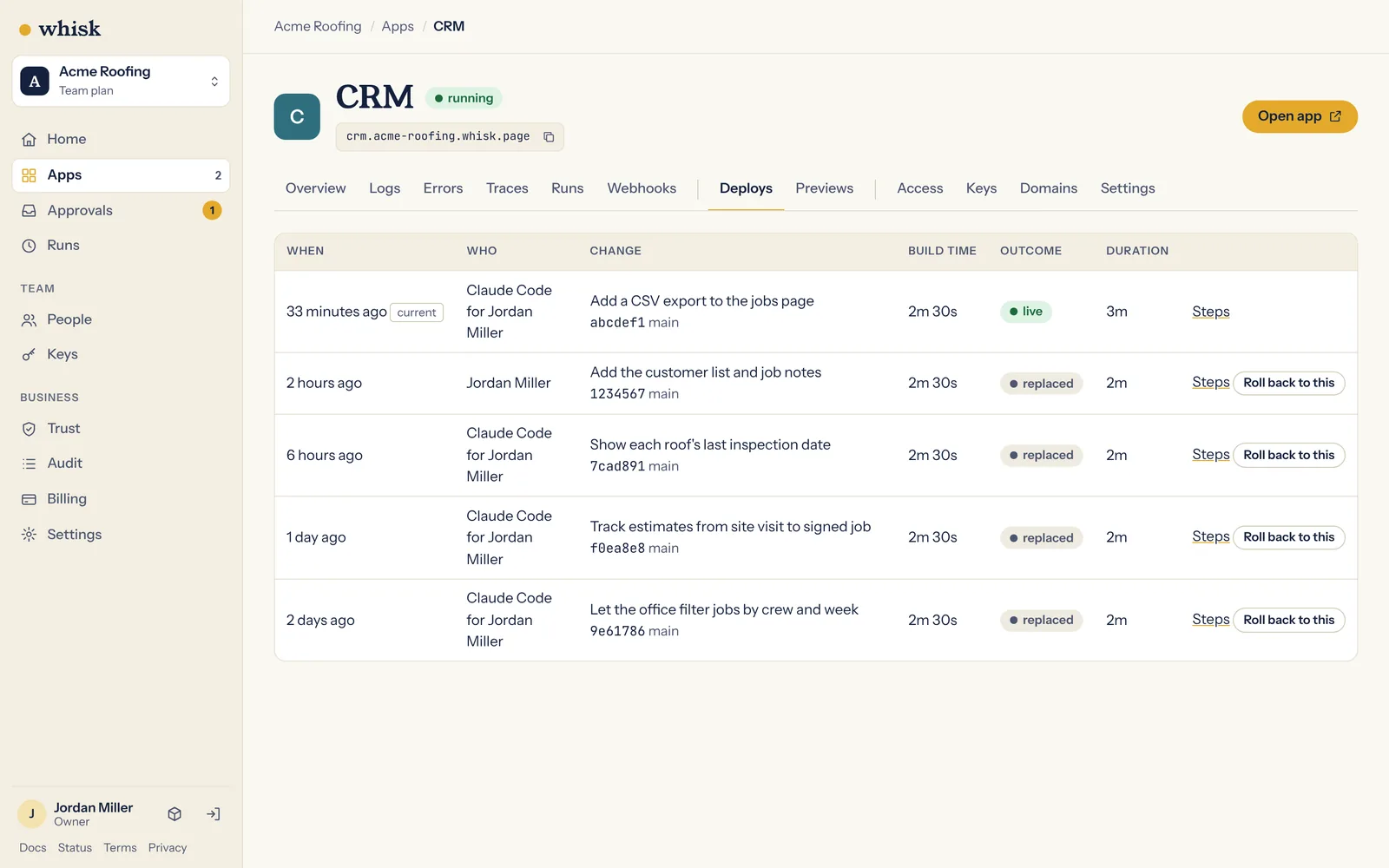
To try something without touching the live app, have Claude Code work on a branch. A deploy from a branch gets its own preview address and its own empty database, and the live app stays as it is.
Step 6 (optional): Add your own domain
On a paid plan, Claude Code can put the app on your own address, such as crm.acmeroofing.com. It runs whisk domains add, which prints two DNS records. Add them where you manage your domain, and Whisk issues the HTTPS certificate as soon as they check out. No redeploy is needed, and the whisk.page address keeps working.
What you get
- A live HTTPS address your team signs in to.
- A Postgres database with continuous backups, 30 nightly backups kept, and restore to any minute on paid plans.
- Health-checked deploys with rollback, and previews for branches.
- Scheduled jobs and workflows with retries and failure alerts.
- Secrets kept out of your code, your logs and your chats.
- Each app in its own sandbox, with its own network and its own database login.
- If the server under an app goes down, the app moves to another server by itself, with its database. That's on every plan.
- Your code and data, exportable at any time. The
whiskcommand line and the skill are open source under the MIT licence.
What it costs
Every business runs one app on Whisk free, forever, with up to three people on the team. That's how you try Whisk: there's no trial clock, because the free app doesn't run out.
When you have more than one tool, plans are flat per business, never per seat:
| Starter | Team | Business | |
|---|---|---|---|
| Monthly | $49 | $149 | $499 |
| Live apps | 10 | 50 | 200 |
| Team members | Unlimited | Unlimited | Unlimited |
| Storage included | 10 GB | 50 GB | 250 GB |
Prices are in US dollars. Annual plans give two months free. Inviting a colleague never adds to the bill. See pricing.
FAQ: deploying Claude Code apps to production
Do I have to stop using Claude Code? No. You keep building in Claude Code and ask it to deploy when a change is ready. Pushing to the main branch deploys production too.
Do I need a Dockerfile? No. Whisk detects the stack without one. If your app already has a Dockerfile, Whisk builds from it.
Do I need a GitHub repository? No. Every app's code lives in a private Git repository on Whisk. If you'd like a copy in your own GitHub account as well, Whisk can keep one there.
What if the deploy fails? The live version keeps running. The error names the cause, includes the app's last log lines and says how to fix it, and Claude Code reads it and tries again. You don't have to paste logs anywhere.
Does my app need a login screen? No, and it shouldn't have one. Whisk signs people in before they reach the app and passes the app each person's email, roles and groups. Customers who aren't on your team get their own separate sign-in.
What happens to my data if I leave? You take it with you. Your code is in a standard Git repository you can clone anywhere, and you can export the database and files at any time on every plan.
What does the free app leave out? The free app sleeps when nobody is using it and wakes on the next visit. It doesn't include your own domain, always-on apps, a Redis cache or restoring backups yourself. Those start on Starter.
Conclusion
Claude Code got your app working. Whisk gets it working for your team: signed in, backed up and still running when your laptop is closed, from one prompt.
Copy the prompt in Step 1 into Claude Code and your first app is free. To start something new instead, ask Claude Code to "read https://whisk.run/skill and build me" the tool you need.